Fire-TICs logo


This page provides support for current users of Argus4 cameras now that Argus4 support webpages from both e2v and Avon has been deleted. None of the Argus4 range are no longer supported by Avon Protection, while long standing distributors may retain some of their own resources and knowledge.
Professional and business users can contact FIRE-TICS direct for repairs on a commercial basis as outlined here.

Software

Software screen


The customer software runs on a PC with Windows XP / Vista / Win7 / Win10. I have not tested the software on Win11. This allows the user to perform the following tasks:

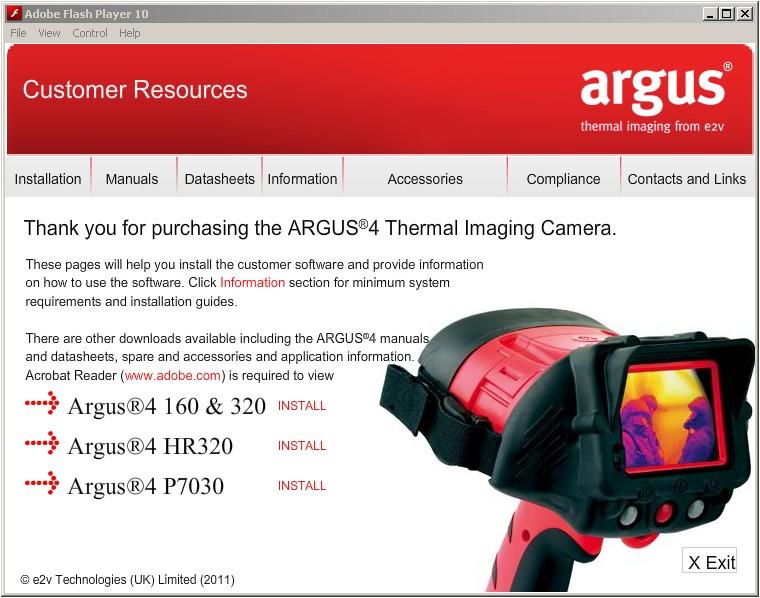
Later cameras were supplied with a Customer Resource CD, which included manuals, datasheets and installation guides, and offered installation of customer software. This can tempt the user to install and use the wrong software for the camera, most common was assuming that they have an 'Argus4' which is in fact one of the later variants, and so inadvertently installing the P7030 software. It is recommended to check the type on the label and from the table below, even if installing from the CD image. Full installation guides are in the CD iso image located in the documents/Installation Guides folder

The export 9Hz versions of cameras use the same customer software. Some reduced function camera types (eg P7140 Argus4 Lite) do not support the customer software, as they have no connector nor a button to press to take images.

The links below are ISO images of the CD from c. 2013 which can then be viewed by 'mounting' the files after unzipping.
Note that these are from the e2v ownership era, so the contacts and links DO NOT apply.

Software screen

Fire resource CD   For P7030, P7130, P7050, P7150 Zipped ISO File
Security resource CD   For P7225 / P7250 Zipped ISO File


Stand alone zip files of the final revisions of the customer software are shown below. This is the same software as is installed from the resources CD. In all cases, install the software first, then connect the camera and allow the installation of the USB driver as prompted. The drivers are placed in a folder such as C:\Program Files\e2v\Argus4\Install Files (Operating system dependent) during the software installation.

Model Type Splash Screen USB ID VID - PID Zip file of software
P7030
Argus4
FD3 100 File
P7130
Argus4 HR320
FD3 101 File
P7225, P7250
Argus4 SC
FD3 102 File
P7050, P7150
Argus4 160 / 320


FD3 103 File

Startup Splash Screens

The cameras contain a hard-coded default splash screen as shown above, and can also have a customer splash screen uploaded. The choice of splash screen is set by the customer software, or was set at build in the factory. The file MUST be a 320 x 240 pixel bitmap (.bmp)

Batteries

The Argus4 batteries are custom and includes gas gauge and charge temperature funtions, so it is not as simple to refurbish as fitting 6 new NiMH AA cells. Anyone trying this is pretty much doomed to failure producing a faulty battery that might either fail to charge, or look like it has not charged when it has.
The cell block is 6 series NiMH AA flat top cells, which were welded and included a PTC in one connection. The space is not sufficient to fit tagged cells and connect them up, nor to fit a PTC. NEVER solder to cells directly, this will damage them. Disconnection of the cell pack can also reset the gas gauge to an irrecoverable state, needing the use of DOS-era Benchmarq software and a 300 baud direct access serial port to correct them.

I am considering refurbishing batteries as part of the FIRE-TICS repairs on a commercial basis as outlined here, but this needs a moderate volume to obtain sensible pricing on the custom cell packs required. Contact via the spares and repairs page.

Common fault - Stuck Shutter

The symptoms are that the camera may show either a blank grey, but noisy, image or show a stuck inverted image of the scene. This is likely due to the shutter being stuck closed / open respectively. In both cases the camera will not make a click noise at regular intervals as the shutter operates. A 'stuck open' can be further verified by covering the lens until the shutter should have operated, when a normal image will be obtained until the next shutter event tries to happen. Access to correct this fault, usually a simple mechanical cold weld of the materials, however requires a full disassembly of the camera. Note that while all fire cameras (red) will give the audible click, some builds of the security variants (black) had a silent shutter mechanism. Contact via the spares and repairs page for repair service.

Common fault - Hot Shoe Connection

The top of the pins can become contaminated and so prevent the camera turning on, or the battery charging when in the charging shoe. Clean as lightly as possible with abrasive paper to avoid breaking through the gold plating on the pins.
The springs can burn out in the charging shoe, resulting in a dropped pin. Spare parts available, contact via the spares and repairs page.

Back Home
Heritage TICs e2v Argus4 page 2 January 2025  All tradename © respective owners